

The bank account owner must match the legal entity on your merchant account application. Our underwriting team verifies this during review. If the names don't match, your payouts will be held until you provide documentation connecting the two entities.
Before you start
You'll need login access to the merchant portal. If you don't have it yet, see Section 1 of the TankTrack Pay — Merchant Portal.
Step 1 — Open the Bank Accounts page
Log in to the merchant portal.
Go to Settings → Bank Accounts.
Click + Add Bank Account.

Step 2 — Choose how you want to link
There are three methods. Pick the one that fits your bank.
Method | Instant verification? | Documents required? | Best for |
Automatic via Plaid login (recommended) | Yes | No | Most banks and credit unions |
Plaid micro-deposit verification | Yes | Yes | Banks not listed in Plaid |
Manually via Vault | No | Yes | When Plaid won't work at all |
Step 3 — Follow the steps for your method
Option A — Automatic via Plaid login (recommended)
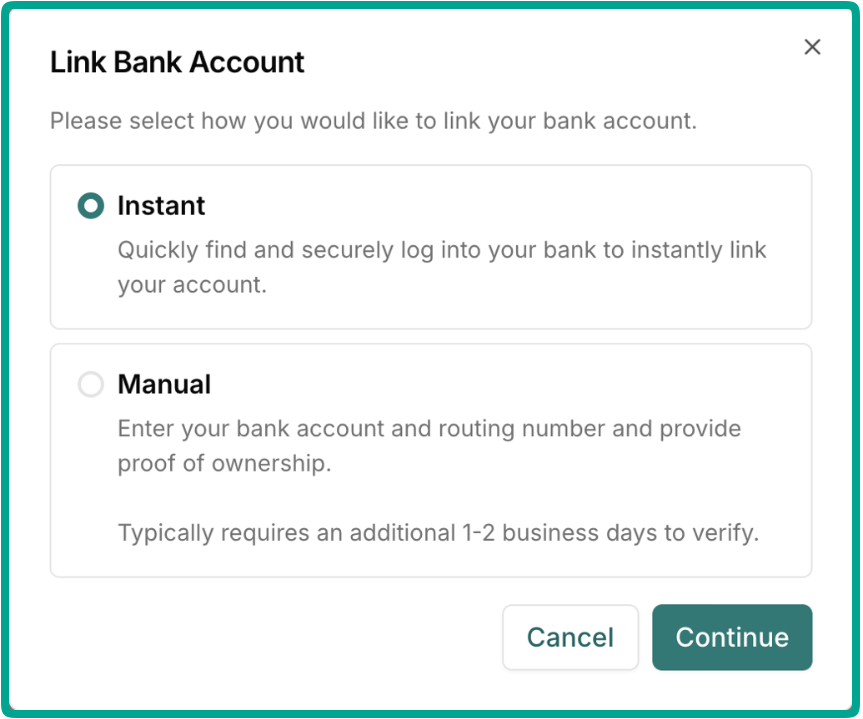
Select Instant, then click Continue.
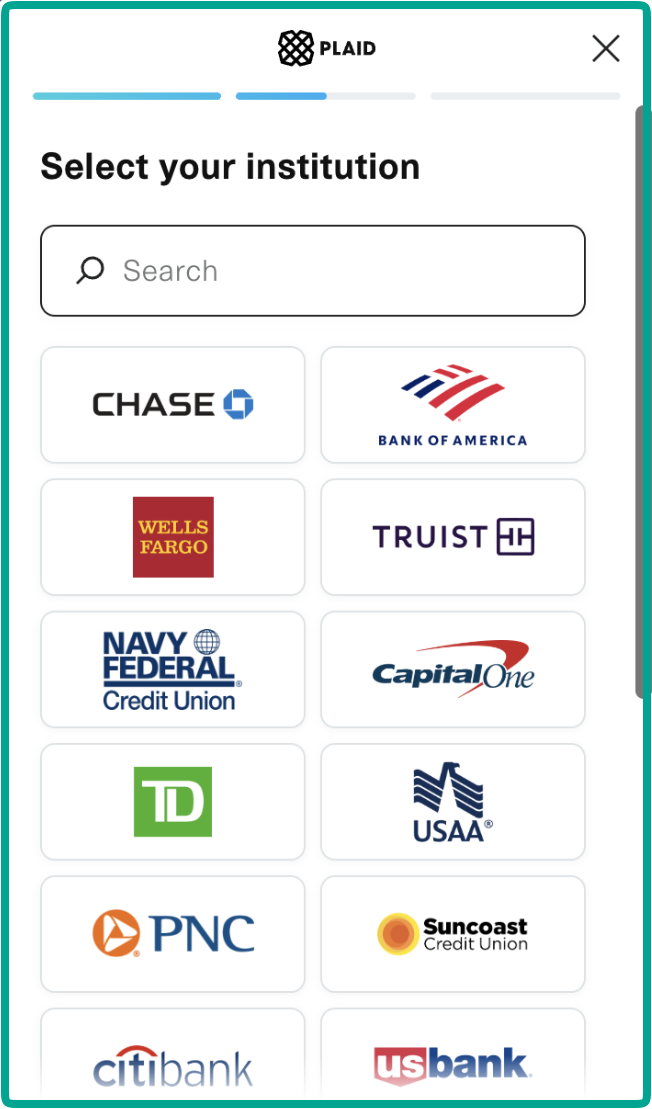
Find your bank in the list or use the search box.
If your bank isn't there, cancel and use Option B or Option C instead.
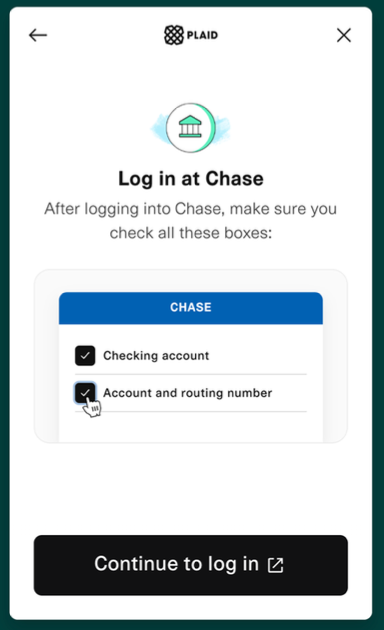
3. Select your bank and log in through Plaid.
4. Select the bank account you want to link. You only need to select the one account that will receive payouts.
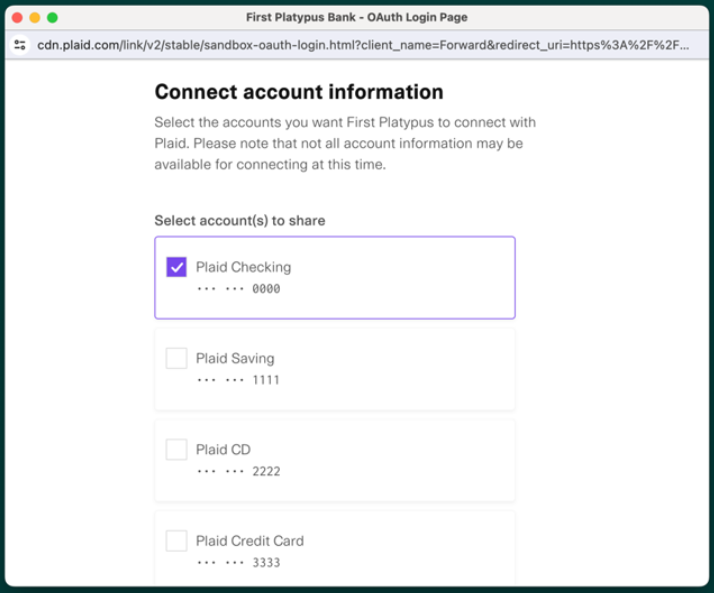
5. Check both boxes for automatic verification:
Account holder name(s) and role(s) — confirms the account belongs to you.
Account number and routing number — allows us to send your money.
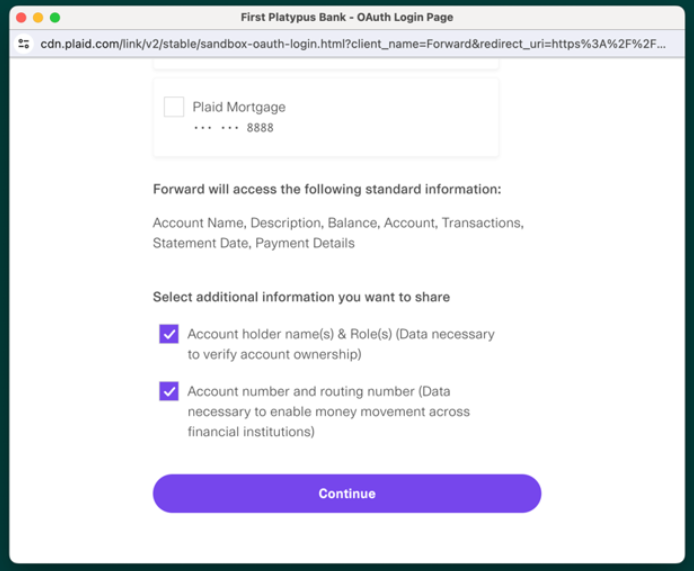
6. Review and agree to the terms and conditions.
That's it — your account is linked and verified.
Option B — Plaid micro-deposit verification
Use this when your bank doesn't appear in Plaid's list.
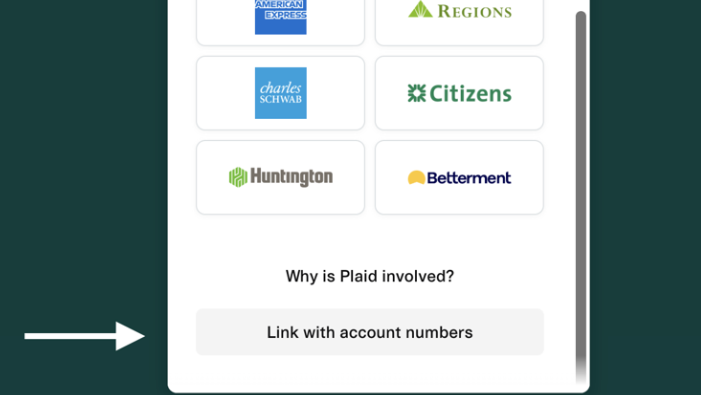
In the Plaid window, scroll to the bottom and click Link with account numbers.
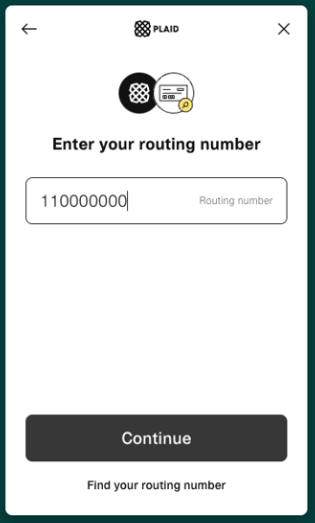
Enter your routing number, then click Continue.
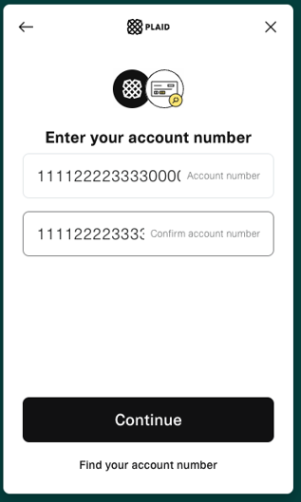
Enter your account number twice, then click Continue.
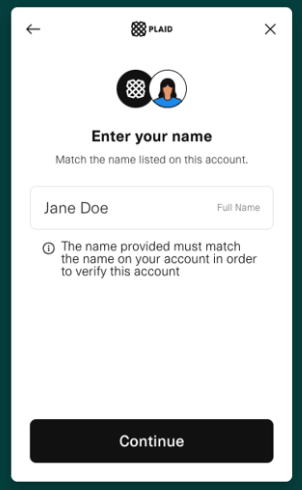
Enter the account holder or company name exactly as it is registered on the bank account, then click Continue.
Select your account type (checking or savings), then click Continue.
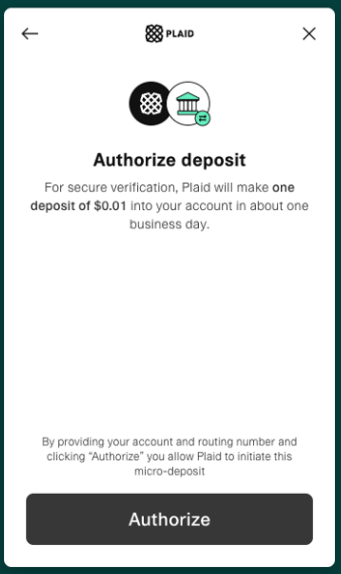
Click Authorize to start the micro-deposit.
A $0.01 deposit will arrive in about one business day. The transaction description contains a 3-letter verification code — you'll need to log in to your bank directly to read it.
Once the deposit lands, log in to your bank's website and note the 3-letter code in the transaction details.
Back in the merchant portal, go to Settings → Bank Accounts, find the account, click Verify, enter the 3-letter code, and click Continue.
Upload proof of account ownership: find the account under Settings → Bank Accounts and click + Add Document.
Our partners' underwriting team will review your document, enable payouts, and set the account to Active.
Option C — Manually via Vault
Select Manual, then click Continue.
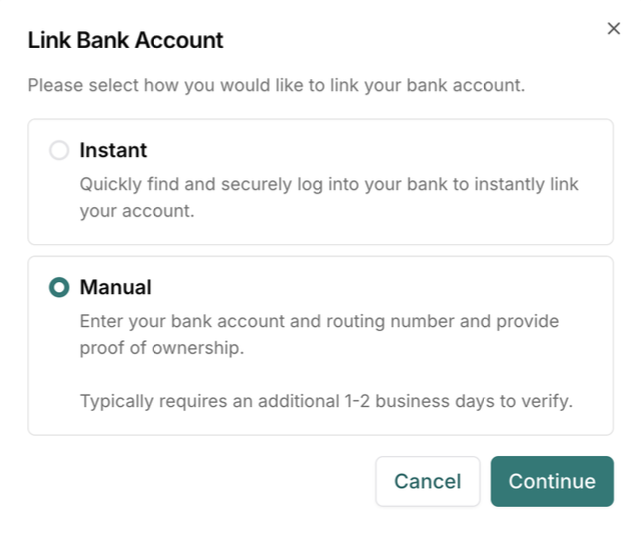
Enter your routing number, account number, and account type, then attach a document proving account ownership.
Click Confirm.
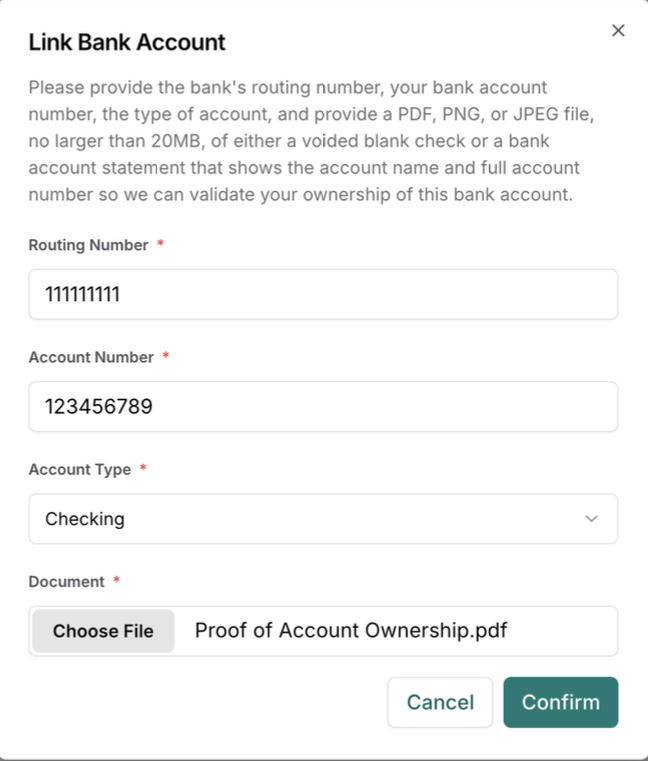
Our underwriting team reviews the documentation and sets the account to Active if it meets our criteria. This typically adds 1–2 business days.
Accepted ownership documents
The document must be a PDF, PNG, or JPEG no larger than 20 MB.
Voided check (recommended) — usually shows everything we need in one document.
Bank statement — must show the account name and the full, uncensored account number.
Signed letter from your bank — must show the account name and the full, uncensored account and routing numbers.
In some cases we may ask for additional documentation to prove ownership, or to establish the connection between the business entity on the bank account and the entity on your merchant account application.
How long does review take?
Bank information is reviewed within one business day or less after your application is approved.
If your bank link is rejected
Every linked account goes through an ownership review. These are the most common reasons a link comes back rejected.
What we found | Why it's a problem | What to do |
The account is in an individual's name | Plaid returned a personal account holder rather than your business. The bank account owner has to match the legal entity on your merchant account. | Link your business account instead. If you operate as a sole proprietor and the bank account really is in your personal name, send documentation connecting you to the business entity. |
The ownership document wasn't accepted | The file you uploaded didn't show everything required — the name on the account, the full uncensored account number, and the routing number. | Re-upload a voided check (easiest, usually shows all three), or a bank statement or signed bank letter that shows all three. |
The account number is a UPIC | A UPIC is a substitute account number your bank issues so you can receive payments without exposing your real one. It can receive deposits, but it can't be verified or debited the way a payout account needs to be. | Provide the real account and routing number for the account instead. |
If you're not sure which of these applies to you, contact TankTrack support and we'll check the status of your link.