
When a customer pays you by bank account (ACH) through TankTrack Pay, the payment isn't final the moment it goes through. It moves through the bank network over the next few business days, and during that window your customer's bank can send it back. This is called a return.
Every return comes with a code that starts with the letter R — R01, R03, R10, and so on. These codes are set by Nacha, the organization that runs the ACH network, so they mean the same thing at every bank in the country.
Most returns you'll run into fall into one of three groups. There are other, rarer codes covering things like duplicate entries, incorrect amounts, and invalid routing numbers, but the three groups below cover the situations you're most likely to see. Knowing which group you're in tells you what happened and what to do next.
1. The money wasn't available
Common codes: R01 (insufficient funds), R09 (uncollected funds)
The payment was returned because there weren't enough available funds to cover it. This is a funding problem rather than an account-information problem.
R01 means the account balance couldn't cover the payment.
R09 is slightly different: the money shows in the account, but it hasn't cleared yet and isn't available to withdraw. This often happens when your customer deposited a check shortly before your payment came through.
What to do: This is the one group where trying the same bank account again makes sense — it's a timing problem. Contact your customer and agree on a date to try again.
If your customer has a saved payment method on file, you can re-run the payment yourself from the invoice. If they don't, they'll need to re-enter their bank details, so send them the invoice again and have them pay from there.
For R01 and R09 specifically, ACH rules generally allow a returned payment to be reinitiated up to two more times — three attempts total — within 180 days of the original payment's settlement date.
2. Something was wrong with the account information
Common codes: R02 (account closed), R03 (no account / unable to locate account), R04 (invalid account number)
These are the ones people most often misunderstand. Nothing was disputed here. The routing or account number didn't point to a usable account, so the payment never landed anywhere. Your customer's bank isn't rejecting the charge — it's telling you it can't find the account to take the money from.
R03 means the receiving bank couldn't locate an open account matching the information provided. The account number may have been entered incorrectly, the account may not exist, or it may no longer be available.
R04 means the account number wasn't a valid format for that bank — for example, too many or too few digits.
R02 means the account was open at some point but has since been closed.
What to do: Don't re-run the same payment — it will fail the same way, because the saved bank details are the problem. Contact your customer and have them re-enter their payment information on the invoice. If they had a payment method saved, it needs to be replaced rather than reused. If the account is closed, they'll need a different account or a different payment method entirely.
How to reduce these
Many returns in this category are due to incorrect account information, and the payment form has a built-in way to help prevent that.
When your customer chooses Bank on the payment form, they're offered two ways to provide their details:
Instant — your customer logs into their bank and selects the account they want to use. The routing and account details come directly from the bank connection rather than being entered manually, which greatly reduces the chance of an error and confirms the account is valid at the time it's linked. This is the method to recommend.
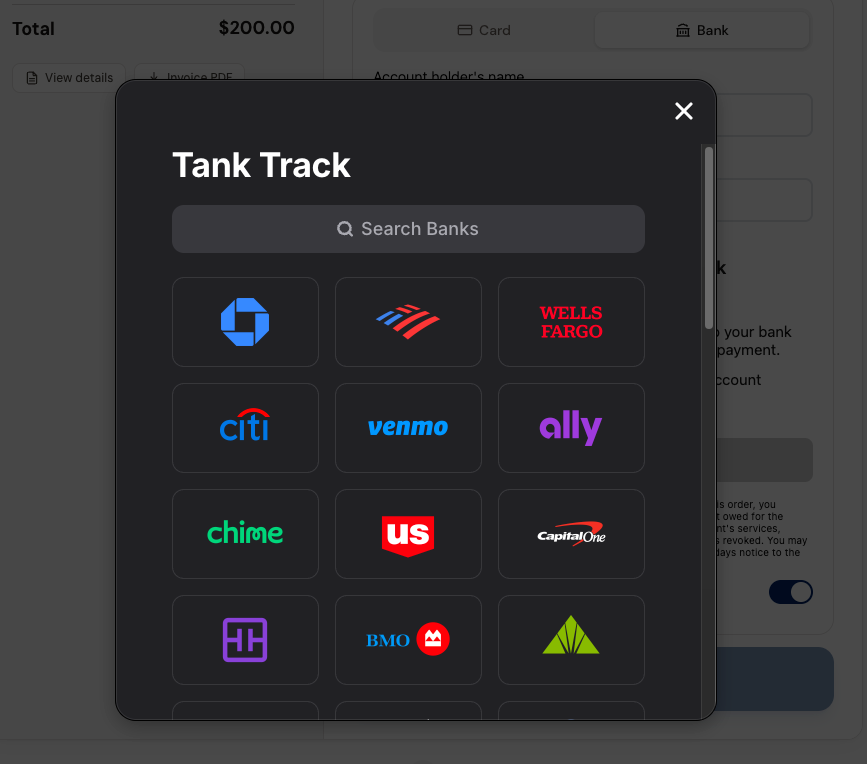
Manual — your customer types in the routing and account number themselves. This works fine, but every digit is a chance for an R03 or R04.
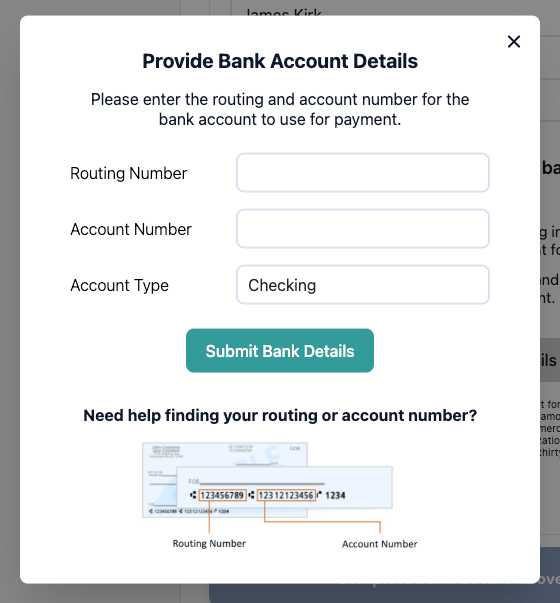
If a customer is entering their details manually, point them at a check rather than a deposit slip. Some deposit slips show a routing number that's different from the one used for ACH payments, which can cause the payment to be returned. The payment form shows a sample check with both numbers labeled.
Instant linking won't prevent every return — a customer can still overdraw the account, close it later, or dispute the payment — but it takes manual entry mistakes largely out of the picture.
3. The customer disputed, revoked, or stopped the payment
Common codes: R05, R07 (authorization revoked), R08 (stop payment), R10 (customer advises not authorized), R29 (corporate account not authorized)
In this group, your customer took action with their bank to send the payment back. The specifics vary:
R07 — your customer had authorized the payment previously and has since revoked that permission.
R10 — your customer told their bank they don't recognize the payment or didn't authorize it.
R05 — a business-format debit was applied to a personal account without authorization.
R29 — a business customer told their bank the debit wasn't authorized. This is also common when a business account has an ACH debit block and your company hasn't been approved on it.
R08 — your customer placed a stop-payment order with their bank. This is an instruction to block the payment, and it doesn't necessarily mean they're claiming it was unauthorized.
Depending on the return reason and the bank's procedures, your customer may have to provide a written statement or other confirmation to their bank.
These can also arrive well after the payment appeared to succeed. Some consumer unauthorized returns can come back up to 60 calendar days after settlement. Other codes in this group, including corporate returns and stop payments, follow different timeframes.
What to do: Contact your customer directly before doing anything else. A lot of these turn out to be misunderstandings about a recurring charge or an unfamiliar name on a bank statement.
For R05, R07, R10, and R29, don't re-run the payment. If the charge was legitimate, work it out with the customer and collect another way. For R29 specifically, ask whether their bank has an ACH debit filter — if so, they'll need to authorize your company with their bank before any bank payment will go through.
For R08, you can try again only if your customer gives you new authorization and confirms the stop-payment order has been lifted or won't affect the new payment.
ACH doesn't have a credit-card-style chargeback dispute process. If your customer sends a payment back, you'll generally need to resolve it with them directly and collect again if the balance is still owed.
What happens to the money
TankTrack sends the payment receipt when the payment is submitted, not when it settles. That means a customer can be holding a receipt for a payment that later comes back.
When a return happens, the amount is pulled back out of your account, usually on your next payout. On the invoice, the payment stays listed but is marked Unapplied with the amount struck through, so the invoice balance goes back to what's still owed.
How to find the return code
Open the invoice the payment was applied to.
Find the payment on the left side of the invoice and click + fee details to expand it.
Click View in merchant portal →.
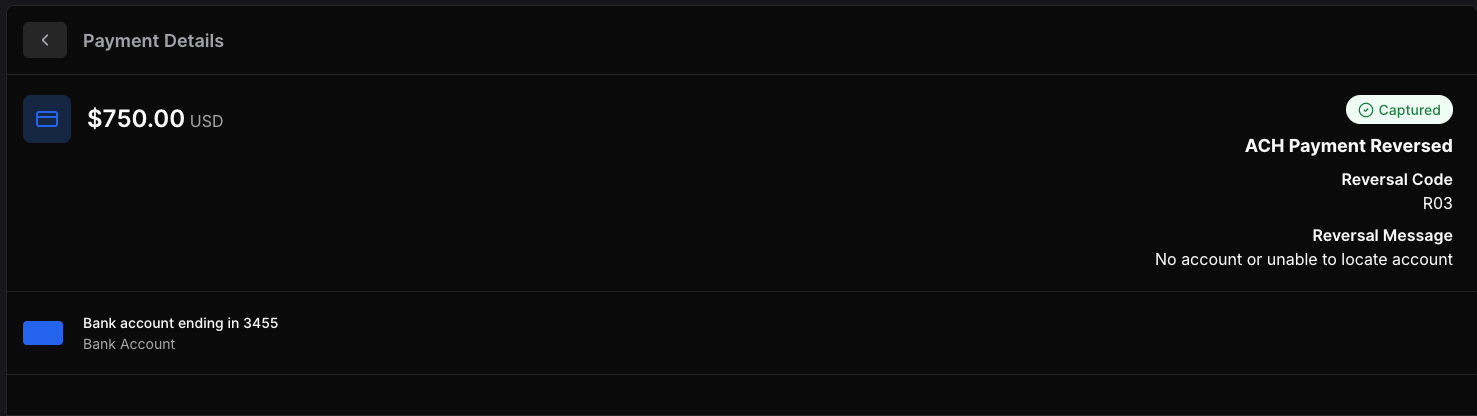
That opens the exact transaction in the merchant portal, where you'll see the Reversal Code and Reversal Message — for example, R03 — No account or unable to locate account.
Quick reference
Code | Meaning | Can the same bank account be used again? |
R01 | Insufficient funds | Yes — re-run if saved, otherwise have the customer pay again |
R09 | Uncollected funds (deposit hasn't cleared) | Yes — re-run if saved, otherwise have the customer pay again |
R02 | Account closed | No — customer must enter a different account |
R03 | No account / unable to locate | No — customer must re-enter corrected details |
R04 | Invalid account number | No — customer must re-enter corrected details |
R05 | Unauthorized business debit to a personal account | No |
R07 | Authorization revoked by customer | No |
R08 | Stop payment | Only with new authorization and confirmation the stop payment has been lifted |
R10 | Customer advises not authorized | No |
R29 | Business customer did not authorize | No — customer may need to authorize your company with their bank |
Still not sure why a payment came back? Send us the invoice number and we'll look up the return code for you. Submit a Ticket